Overview
The Item Filter Templates and SKU Filter Templates pages provide centralized management of reusable filter configurations for the Reverse Planning system. These templates define predefined item and stockkeeping unit (SKU) criteria that can be applied when running planning calculations, ensuring consistent filtering logic across different planning scenarios. Users create and maintain filter templates that specify which items or SKUs should be included in planning calculations, streamlining the planning process by eliminating the need to manually configure filters each time.
When are these pages used?
Item Filter Templates
Users access this list to browse, create, edit, and manage item filter templates. These templates are opened when users need to:
- Define reusable item filtering criteria for planning calculations
- Configure which items (based on attributes like replenishment system, low-level code, location, or reordering policy) should be included in planning scenarios
- Review existing item filter configurations used across different planning templates
SKU Filter Templates
Users access this list to browse, create, edit, and manage SKU filter templates. These templates are opened when users need to:
- Define reusable SKU filtering criteria for planning calculations
- Configure which stockkeeping units (based on attributes like replenishment system) should be included in planning scenarios
- Review existing SKU filter configurations used across different planning templates
Who are typical users?
- Supply Chain Planners – Configure item and SKU filters to focus planning calculations on specific product categories or locations
- Inventory Managers – Set up filter templates to target items with specific reordering policies or inventory characteristics
- Production Planners – Create filters for production items based on low-level codes or bill-of-material structures
- System Administrators – Maintain default filter templates and ensure consistent filtering logic across the organization
Accessing the page
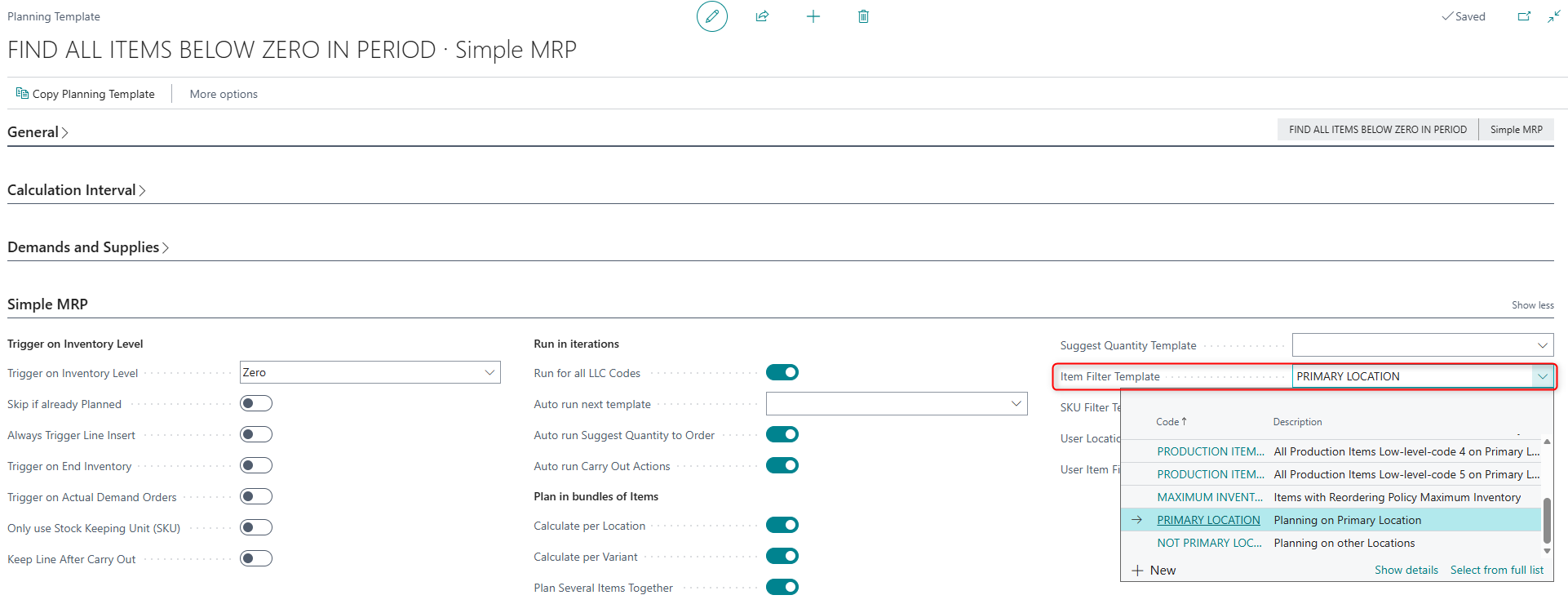
Item Filter Templates
This page is accessed as a lookup and drill-down page when users:
- Select the Item Filter Template field on the Planning Templates card
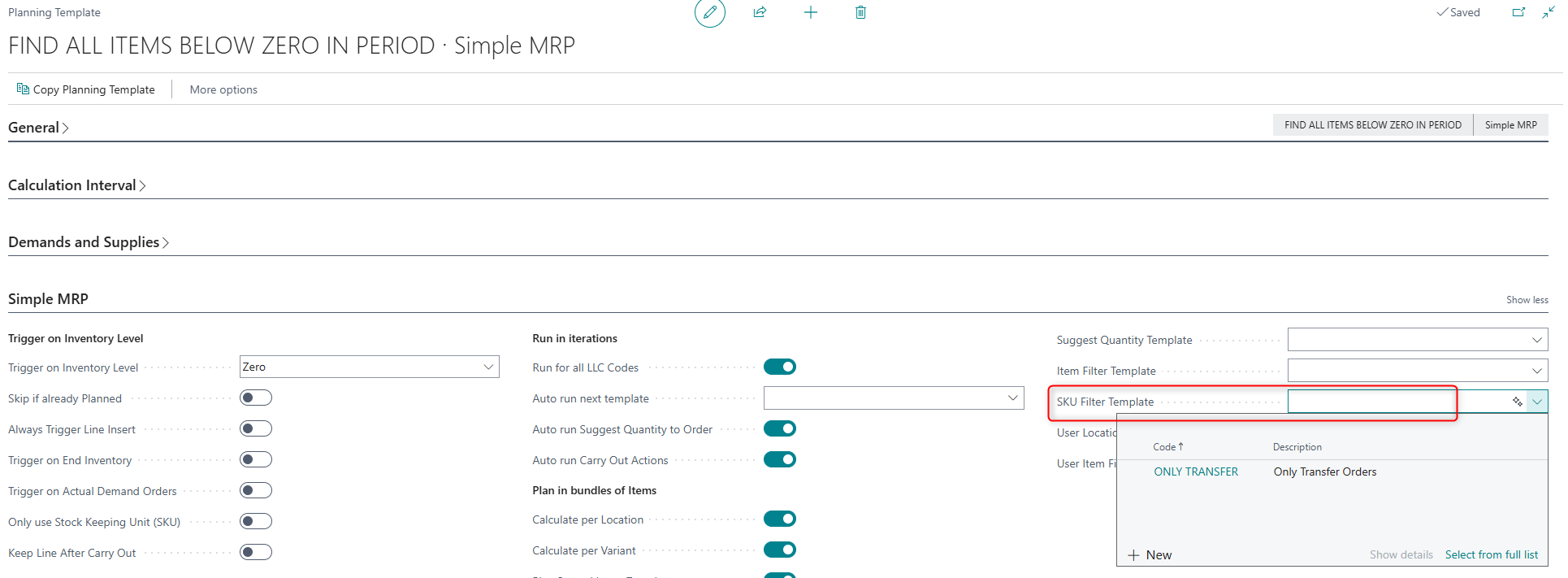
SKU Filter Templates
This page is accessed as a lookup and drill-down page when users:
- Select the SKU Filter Template field on the Planning Templates card
Page Components
Fields
General Section
Both pages share the same structure with the following fields:
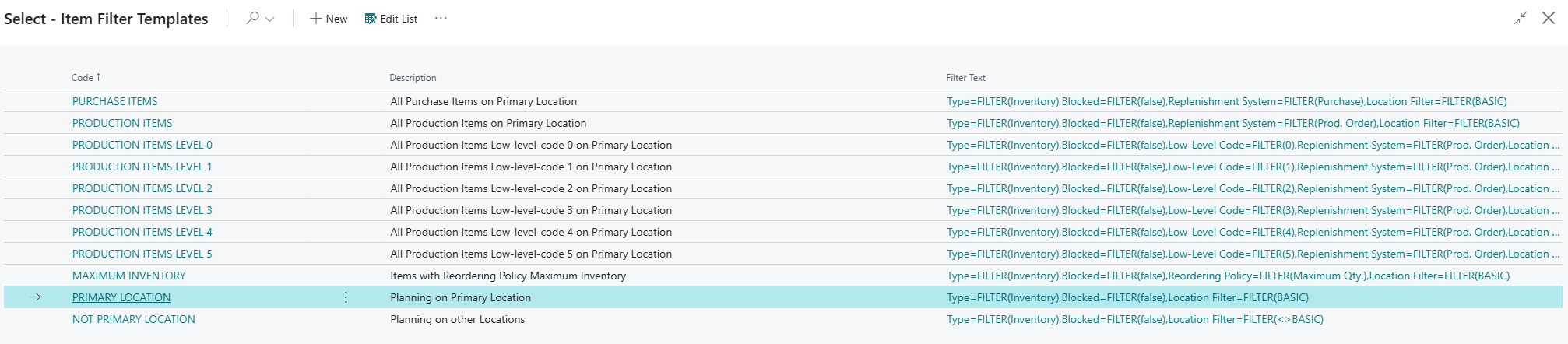

| Field | Purpose | Example | Key Information |
|---|---|---|---|
| Code | Unique identifier for the filter template | PURCHASE ITEMS, PRODUCTION ITEMS LEVEL 0 | Maximum 50 characters. Required field used to reference the template from planning templates. |
| Description | Explains the purpose and scope of the filter | All Purchase Items on Primary Location | Maximum 250 characters. Provides user-friendly explanation of what items/SKUs this filter targets. |
| Filter Text | Displays a human-readable summary of the applied filters | Type: Inventory, Blocked: No, Replenishment System: Purchase | Maximum 2048 characters. Non-editable |
Default Setup & Templates
The system creates default filter templates during initial setup to support common planning scenarios. These templates are created by the SCB RPL Create Setup Data codeunit.
Default Item Filter Templates
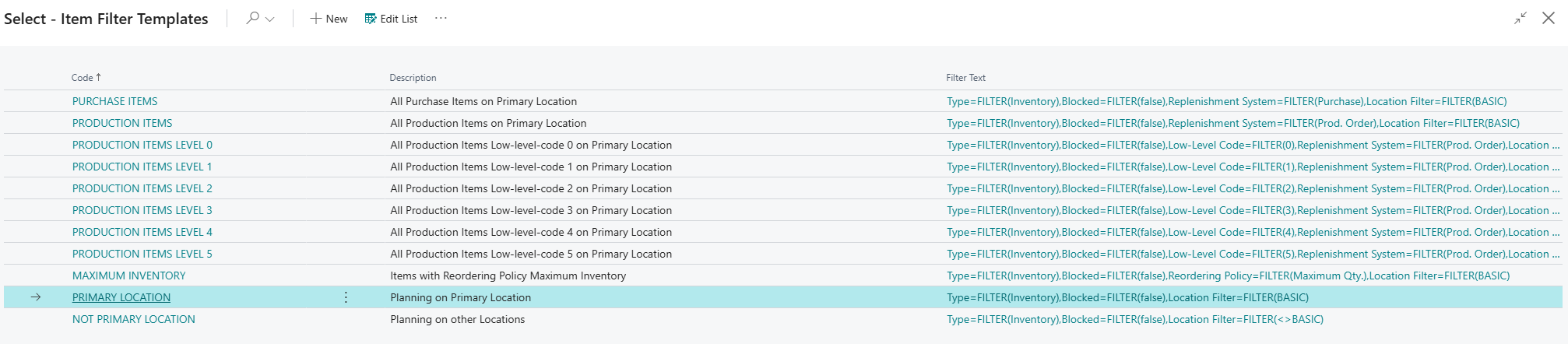
| Code | Description | Filter Criteria | Sorting | Purpose |
|---|---|---|---|---|
| PURCHASE ITEMS | All Purchase Items on Primary Location | Blocked: No, Type: Inventory, Replenishment System: Purchase, Location Filter: [Primary Location] | 10 | Targets all purchasable items for procurement planning |
| PRODUCTION ITEMS LEVEL 0 | All Production Items Low-level-code 0 on Primary Location | Blocked: No, Type: Inventory, Replenishment System: Prod. Order, Low-Level Code: 0, Location Filter: [Primary Location] | 15 | Targets finished goods (top-level production items) for production planning |
| PRODUCTION ITEMS LEVEL 1 | All Production Items Low-level-code 1 on Primary Location | Blocked: No, Type: Inventory, Replenishment System: Prod. Order, Low-Level Code: 1, Location Filter: [Primary Location] | 20 | Targets first-level subassemblies in the BOM structure |
| PRODUCTION ITEMS LEVEL 2 | All Production Items Low-level-code 2 on Primary Location | Blocked: No, Type: Inventory, Replenishment System: Prod. Order, Low-Level Code: 2, Location Filter: [Primary Location] | 25 | Targets second-level subassemblies in the BOM structure |
| PRODUCTION ITEMS LEVEL 3 | All Production Items Low-level-code 3 on Primary Location | Blocked: No, Type: Inventory, Replenishment System: Prod. Order, Low-Level Code: 3, Location Filter: [Primary Location] | 25 | Targets third-level subassemblies in the BOM structure |
| PRODUCTION ITEMS LEVEL 4 | All Production Items Low-level-code 4 on Primary Location | Blocked: No, Type: Inventory, Replenishment System: Prod. Order, Low-Level Code: 4, Location Filter: [Primary Location] | 30 | Targets fourth-level subassemblies in the BOM structure |
| PRODUCTION ITEMS LEVEL 5 | All Production Items Low-level-code 5 on Primary Location | Blocked: No, Type: Inventory, Replenishment System: Prod. Order, Low-Level Code: 5, Location Filter: [Primary Location] | 30 | Targets fifth-level subassemblies in the BOM structure |
| MAXIMUM INVENTORY | Items with Reordering Policy Maximum Inventory | Blocked: No, Type: Inventory, Reordering Policy: Maximum Qty., Location Filter: [Primary Location] | 40 | Targets items managed with maximum inventory reordering policy |
| PRIMARY LOCATION | Planning on Primary Location | Blocked: No, Type: Inventory, Location Filter: [Primary Location] | 100 | General filter for all items on the primary location |
| NOT PRIMARY LOCATION | Planning on other Locations | Blocked: No, Type: Inventory, Location Filter: <>[Primary Location] | 110 | Targets items on all locations except the primary location |
Default SKU Filter Templates

| Code | Description | Filter Criteria | Purpose |
|---|---|---|---|
| ONLY TRANSFER | Only Transfer Orders | Replenishment System: Transfer | Targets stockkeeping units that are replenished via transfer orders between locations |
Purpose of Default Templates
Item Filter Templates by Category:
Purchase Planning:
- PURCHASE ITEMS: Use this template for procurement planning scenarios where you need to generate purchase orders for items bought from vendors.
Production Planning (by Low-Level Code):
- PRODUCTION ITEMS LEVEL 0: Use for finished goods planning (top-level items in the BOM structure that aren't components of other items).
- PRODUCTION ITEMS LEVEL 1-5: Use for planning components and subassemblies at different levels in the bill-of-material hierarchy. Lower-level items should typically be planned before higher-level items.
Reordering Policy Planning:
- MAXIMUM INVENTORY: Use for items where inventory should be maintained between reorder point and maximum inventory levels.
Location-Specific Planning:
- PRIMARY LOCATION: Use when planning for your main warehouse or production location.
- NOT PRIMARY LOCATION: Use when planning for satellite warehouses, retail locations, or other secondary locations.
SKU Filter Templates:
- ONLY TRANSFER: Use when planning inter-location transfers, such as replenishing retail locations from a central distribution center.
Note: If a primary location is configured during setup, the default Item Filter Templates will include this location in their filter criteria. If no primary location is selected, the templates will filter all items without location restrictions (except for PRIMARY LOCATION and NOT PRIMARY LOCATION templates).