Release Date: 04. February
 Release Summary
Item Variant Matrix expanded to support up to 50 variant columns, improving handling of items with many variations.
Users can set order quantities across all combinations and use custom, user‑specific column captions.
Added a toggle to switch between Information Value and Description views for easier order entry.
Fixed an issue with detecting file storage configurations, ensuring prompts work with both legacy and new External File Account settings.
Overall: better efficiency, improved data quality, and smoother daily order processing.
 Improvements
Item Variants
Item Variant Matrix now supports up to 50 variant columns, making it easier to manage products with many sizes, colors and other variant parameters in a single view.
The Item Variant Matrix has been extended from 15 to 50 columns to support products with large variant sets.
With this improvement you can:
Define and work with up to 50 variant parameters per style (e.g. size, color, material, finish etc.).
Enter and maintain order quantities across all 50 variant combinations in the matrix and list views.
Use user-specific column captions from Master Data User Setup for all 50 columns, ensuring clear and meaningful headers.
Rely on consistent, table-based captions across pages, including corrected captions for column 50.
This streamlines sales order entry for customers with extensive variant combinations, reduces manual workarounds, and improves both efficiency and data quality in daily order processing.

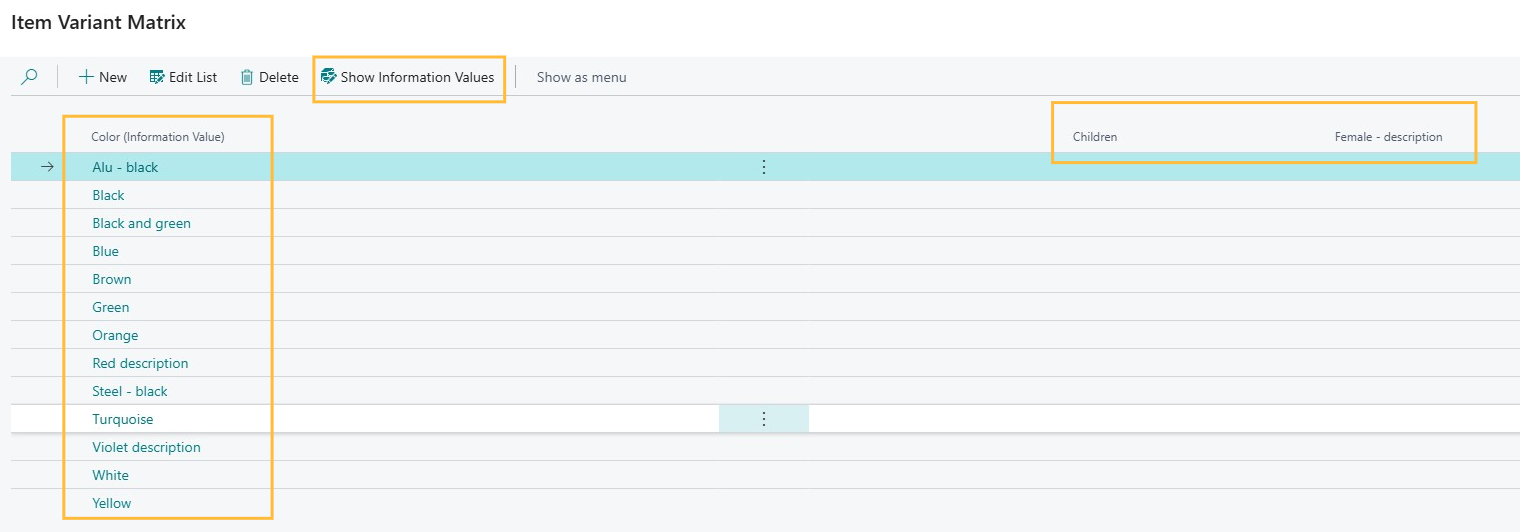
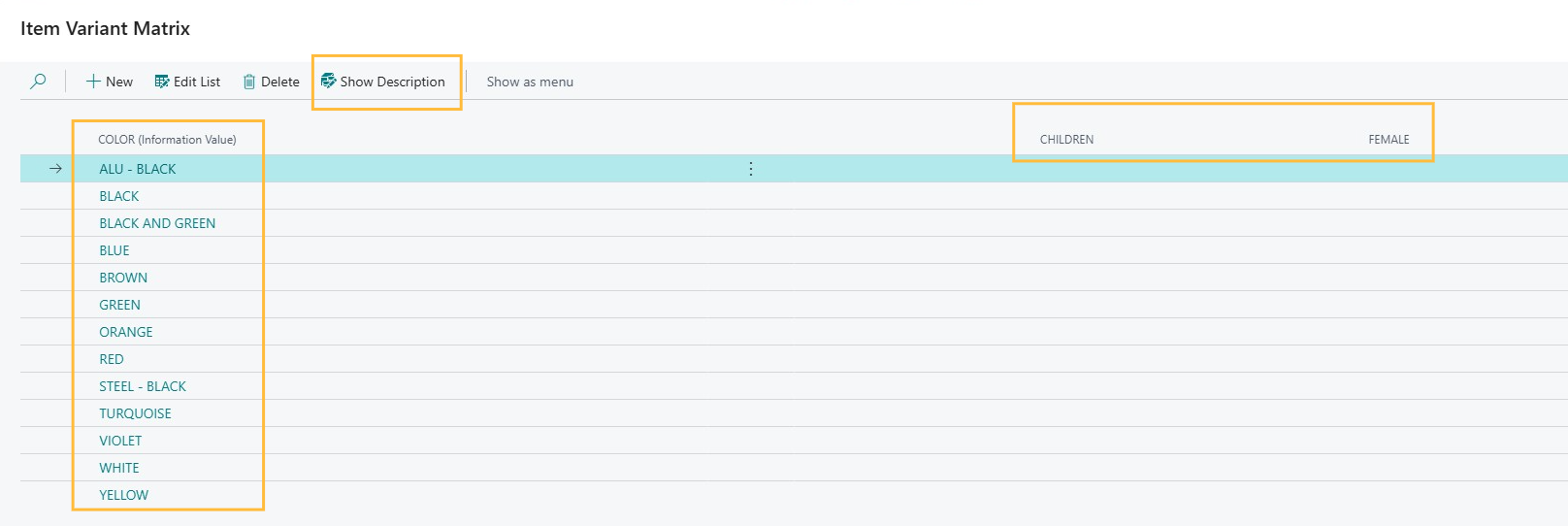
Toggle between Information Value and Description in Item Variant Matrix Order.
In the Item Variant Matrix Order, users can now use a toggle button to switch the matrix display between Information Value and Description for up to 50 variant fields. The selected view changes instantly without reloading the page and persists during the session, so Sales Order Processors can keep working in their preferred view. This makes it easier and faster to review item variants and choose the most relevant details during order processing.
 Bug Fixes
File Storage
Fixed file storage configuration detection so the “Configure for Azure/SharePoint” prompt now correctly respects both legacy settings and External File Account configuration, including when opening Information Matrix and Style Matrix.
The file storage configuration check in Master Data Information now correctly supports both the legacy setup fields and the newer External File Account–based configuration.
Previously, the file placement prompt only looked at legacy fields (Azure Access Key / SAS and SharePoint URL). If you configured Azure Blob Storage or SharePoint via External File Accounts, the system would still show “Configure for Azure Blob Storage” or “Configure for SharePoint” options, even though storage was already configured. This affected file placement prompts from:
Information Entry
Information Value
Master Data on Documents
Information Matrix
Style Matrix
With this fix:
New helper functions on Master Data Information Setup (IsAzureBlobStorageConfigured() and IsSharepointConfigured()) determine whether storage is configured.
The prompt first checks if External File Accounts are enabled and configured (GUID set and valid), and only falls back to legacy configuration fields if External File Accounts are not used.
“Configure for Azure/SharePoint” is only shown when storage is not configured in either system.
Backwards compatibility is maintained for customers still using the legacy configuration.
This ensures a consistent and accurate user experience across all pages that use the file placement prompt.