Overview
The User Planning Template Categories page allows administrators and users to define which planning template categories should be visible by default when opening the Planning Templates list. This provides a personalized filtering experience, allowing each user to focus on the template categories most relevant to their planning workflow without being overwhelmed by all available templates.
When is this List Page used?
This list page is used when users need to configure their personal preferences for which planning template categories should be displayed by default in the Planning Templates list. By selecting specific categories, users can streamline their view to show only the templates they regularly work with, while still maintaining the ability to view all templates when needed through the "Show all Templates" action on the Planning Templates page.
Who are typical users?
- Planning Managers who want to customize their template view to focus on specific planning scenarios
- Supply Chain Coordinators who work with specific types of planning templates regularly
- System Administrators who configure category preferences for users or help users set up their preferred views
- Warehouse Managers who need to access only relevant planning templates for their operations
Accessing the page
- From the Planning Templates List
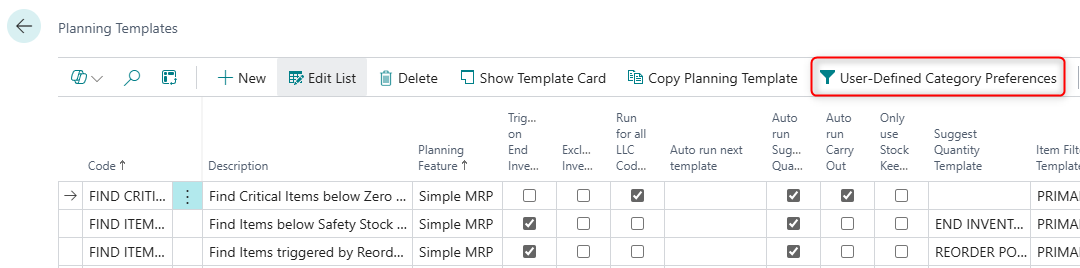
Page Components
Actions
Processing Actions
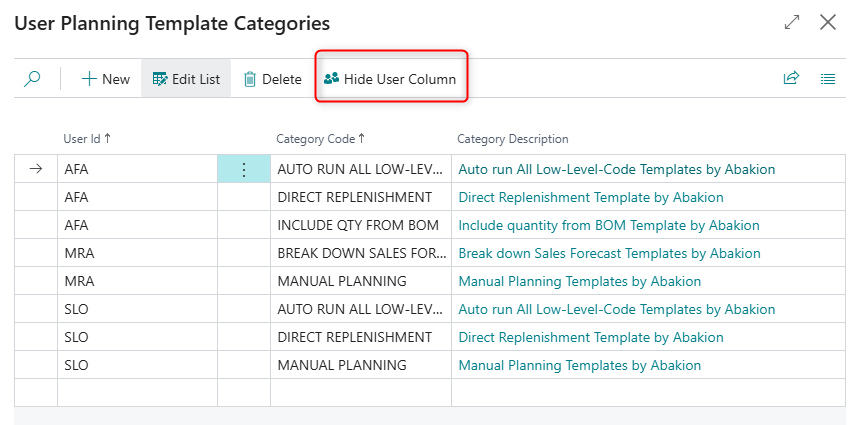
| Action | What it does | When to use | Prerequisites |
|---|---|---|---|
| Show User Column | Makes the User Id field visible in the list | When you need to see or verify which user each category preference belongs to, typically when viewing the full list of all users' preferences | The User Id column must currently be hidden |
| Hide User Column | Hides the User Id field from the list view | When focusing on category selections for a single user (default behavior when opened from Planning Templates), or to simplify the view | The User Id column must |
Fields
General Section
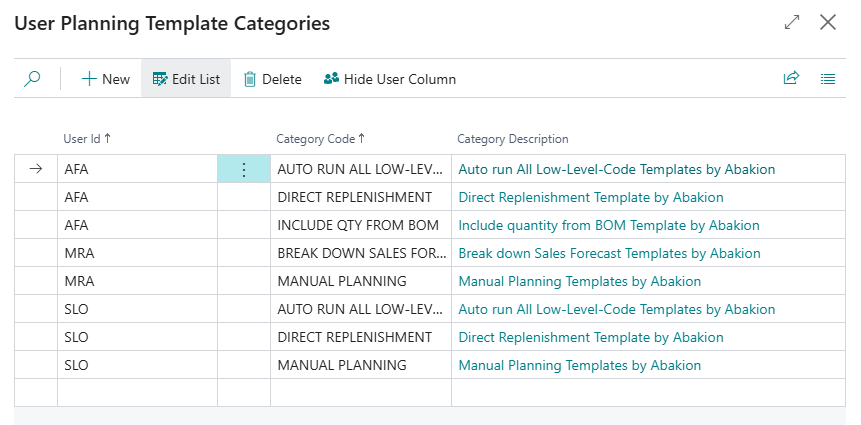
This section displays the planning template category preferences for users. Each record represents one category that a specific user has selected to view by default in the Planning Templates list.
| Field | Purpose | Example | Key Information |
|---|---|---|---|
| User Id | Identifies which user this category preference applies to | AFA | Automatically set to the current user's ID when adding records from the Planning Templates page. Hidden by default when opened via User-Defined Category Preferences, but can be shown using Show User Column. |
| Category Code | The code of the planning template category to display | DIRECT REPLENISHMENT, MANUAL PLANNING | Must be selected from existing categories in the Planning Template Categories table. Mandatory (NotBlank = true). When validated, it automatically updates the Category Description field. |
| Category Description | Shows the full description of the selected category | Direct Replenishment Template by Abakion, Manual Planning Templates by Abakion | This is a FlowField that automatically looks up the description from the Planning Template Categories table based on the selected Category Code. Read-only and cannot be edited directly. |