Overview
The Planning Template Categories page provides a centralized location for managing categories used to organize planning templates within the Reverse Planning application. Categories help users group related planning templates together for easier navigation, filtering, and management. This categorization system replaced the previous "Special Template" functionality, providing a more flexible way to organize templates based on their purpose and use case.
When is this List Page used?
Users access the Planning Template Categories page when they need to:
- View all available planning template categories in the system
- Create new categories to organize planning templates by function or business process
- Edit existing category codes and descriptions
- Review the standard categories provided by Abakion for different planning scenarios
- Set up category filters for user-specific template preferences
Who are typical users?
- Supply Chain Managers who configure and organize planning templates for different planning scenarios
- System Administrators who set up and maintain the planning template structure
- Planning Coordinators who need to understand available template categories for filtering and organization
- Implementation Consultants who configure the initial template categorization during system setup
Accessing the page
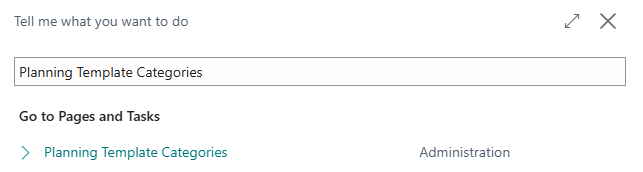
- Direct search
Page Components
Fields
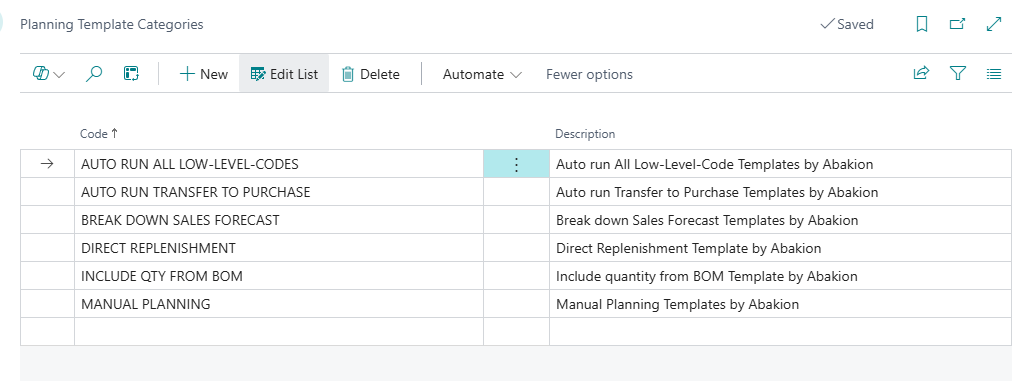
| Field | Purpose | Example | Key Information |
|---|---|---|---|
| Code | Unique identifier for the planning template category | DIRECT REPLENISHMENT, MANUAL PLANNING | Maximum 30 characters. This code is used to link planning templates to their categories. |
| Description | User-friendly name explaining the category's purpose | Direct Replenishment Template by Abakion, Manual Planning Templates by Abakion | Maximum 80 characters. Provides clear context about what types of templates belong in this category. |
Default Setup & Templates
The Reverse Planning application installs six default planning template categories during the setup process. These categories represent common planning scenarios used across different business processes.
| Code | Description | Purpose |
|---|---|---|
| AUTO RUN ALL LOW-LEVEL-CODES | Auto run All Low-Level-Code Templates by Abakion | Organizes templates that automatically run planning calculations across all bill-of-material levels, ensuring component requirements are calculated bottom-up through the production structure. |
| AUTO RUN TRANSFER TO PURCHASE | Auto run Transfer to Purchase Templates by Abakion | Contains templates that automatically chain together planning calculations from outbound transfers through production levels to purchase orders, creating a complete automated planning flow. |
| DIRECT REPLENISHMENT | Direct Replenishment Template by Abakion | Groups templates used for immediate replenishment planning without considering demand orders, typically used for maintaining stock levels to reorder points or maximum quantities. |
| BREAK DOWN SALES FORECAST | Break down Sales Forecast Templates by Abakion | Organizes monthly forecast breakdown templates that transfer demand forecasts into the planning worksheet and calculate required component quantities through the BOM structure. |
| INCLUDE QTY FROM BOM | Include quantity from BOM Template by Abakion | Contains templates that factor in quantities that can be produced from existing component inventory when calculating replenishment needs. |
| MANUAL PLANNING | Manual Planning Templates by Abakion | Groups templates designed for manual planning processes where planners step through different planning levels and replenishment types individually rather than using automated chains. |