Release Date: 04 May 2026
 Release Summary
- New Feature: A new Address Template feature allows users to define localized address formatting per report and per country, including support for the German DIN 676 standard.
- New Feature: A new "Use As Default Report" option enables assigning a specific report layout as the default for individual customers.
- New Feature: Two new Pane Envelope report variants have been added for Sales Invoice and Sales Credit Memo, designed for envelope-compatible address positioning.
- New Feature: Production Order printouts can now be split by operation, with each page including a self-contained header showing previous, current, and next operation details.
- New Feature: Item Tracking information (Serial/Lot/Package No.) can now be included on Purchase Order printouts, consistent with existing behaviour for Transfer Orders and Posted Documents.
- Improvement: A guided Command Line Builder wizard makes it significantly easier to configure complex command line expressions without manual typing.
- Bug Fix: Uploading or replacing logos and background images no longer creates orphaned entries in the Tenant Media table, reducing database bloat.
- Refactor: All public procedures have been documented with XML doc comments for improved code readability and IntelliSense support.
- Refactor: AL keywords across the codebase have been normalised from UPPERCASE to PascalCase in line with the AL coding standard.
 Improvements
Command Line
Command Line Builder wizard added to simplify expression setup.+
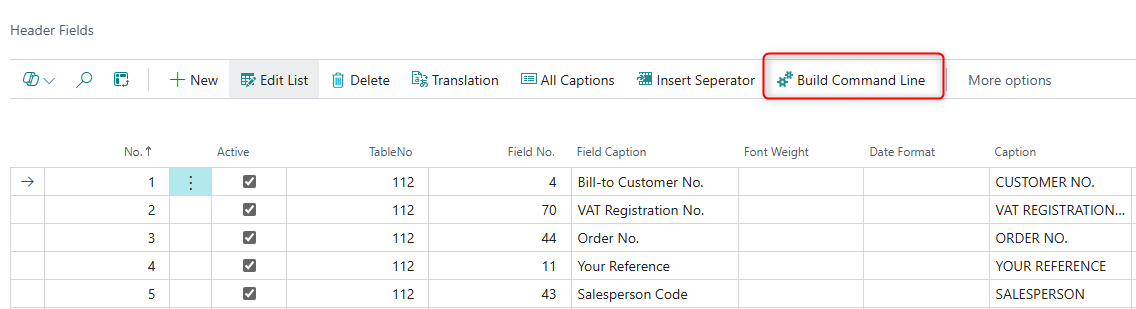
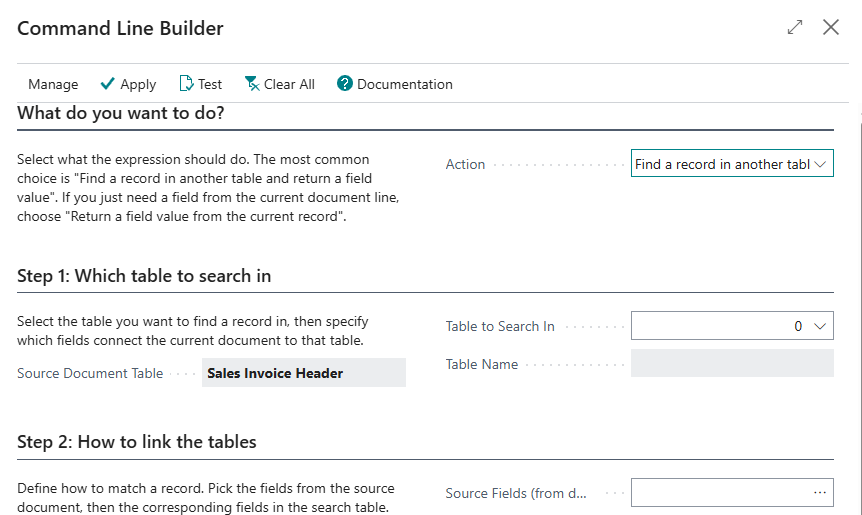
The Command Line feature in Document Customizer previously required users to manually write complex expressions such as nested lookup and field value functions. This was error-prone and presented a steep learning curve. A new Command Line Builder wizard is now available via the "Build Command Line" action on the Header Fields and Extended Description Fields pages. The wizard supports four modes: combined lookup and field value retrieval, standalone record lookup, standalone field value retrieval, and numeric rounding. Users fill in guided fields using standard Business Central lookups, then click Apply to save the generated expression. Existing expressions are automatically loaded and parsed when opening the builder, and a "Test Expression" action allows validation against a real record before saving.
 Bug Fixes
General
Uploading logos and background images no longer leaves orphaned entries in the Tenant Media table.+
When users uploaded or replaced logos and background images in Document Customizer, the previous media entry was not properly removed, causing orphaned records to accumulate in the Tenant Media table over time. This resulted in gradual database bloat, particularly for companies that frequently customize document layouts. The system now computes a SHA256 hash of uploaded images and skips the import entirely when the image content is identical to what is already stored. When a new image is imported, the hash is updated for future comparisons. This prevents unnecessary media duplication and reduces database growth.
 New Feature
Document Layout
New Address Template feature for customizable address formatting per report.+
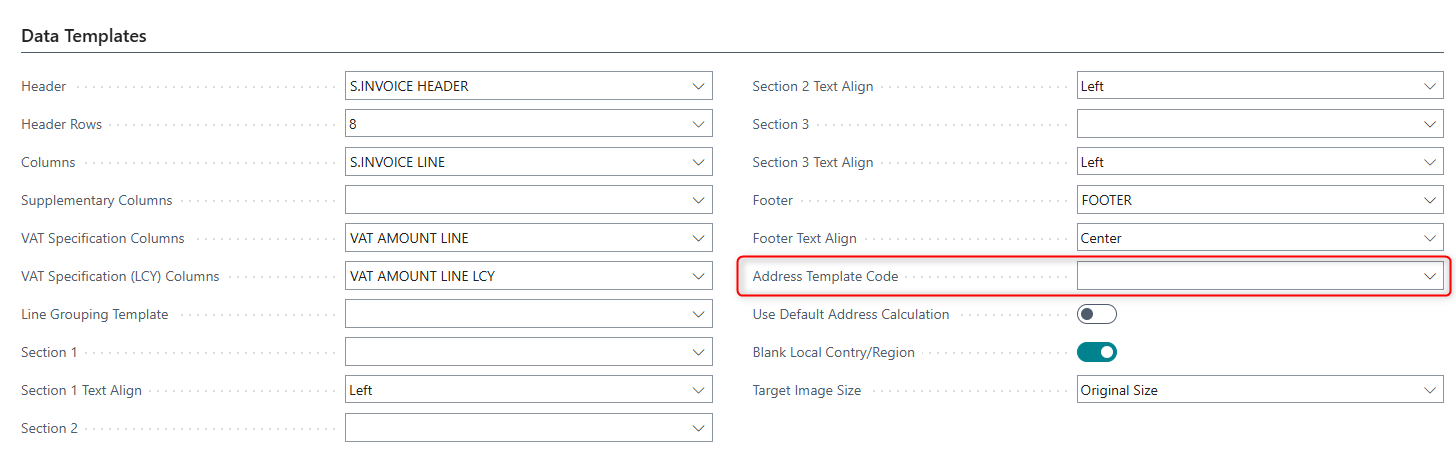
A new Address Template feature has been added that allows users to define and customize address formatting per report and per country. This enables compliance with local address standards such as the German DIN 676 standard for envelope windows, where sender and recipient addresses must follow a specific layout. Users can create address templates with configurable line order, field mapping, font settings (size, bold, italic, underline), and formatting via the Address Template Card. Templates can be assigned to specific reports via the Report Address Templates page, and copied between reports using the Copy wizard. Address templates are opt-in and supported across all Document Customizer reports including sales, purchase, service, warehouse, and statement documents. Default address template data is seeded automatically on install and upgrade.
Added the ability to assign a default report layout per customer.+
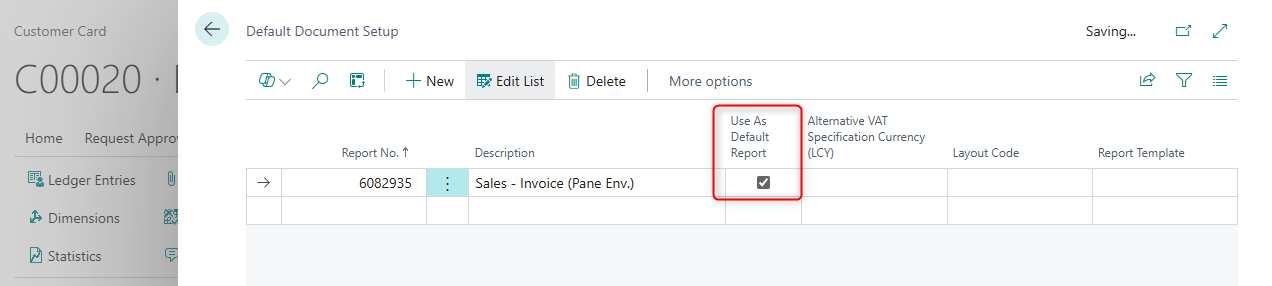
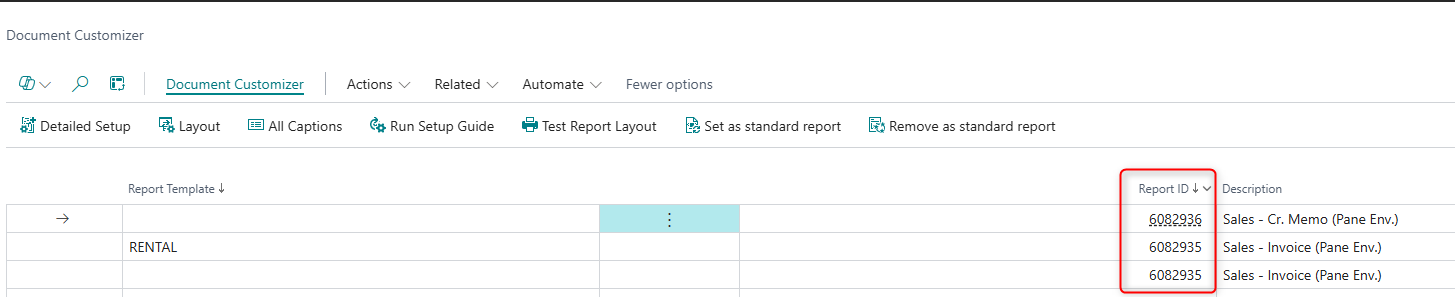
A new "Use As Default Report" field has been added to the Default Report Setup table. This allows a specific report layout to be assigned as the default for individual customers. When a customer-specific report is configured, that report will be printed instead of the standard default. All other customers will continue to use the default report selected in the Document Customizer reports setup. This enables scenarios where, for example, a customer in a specific market can use a Pane Envelope report layout while all other customers use the standard layout.
Two new Pane Envelope report variants added for Sales Invoice and Sales Credit Memo.+
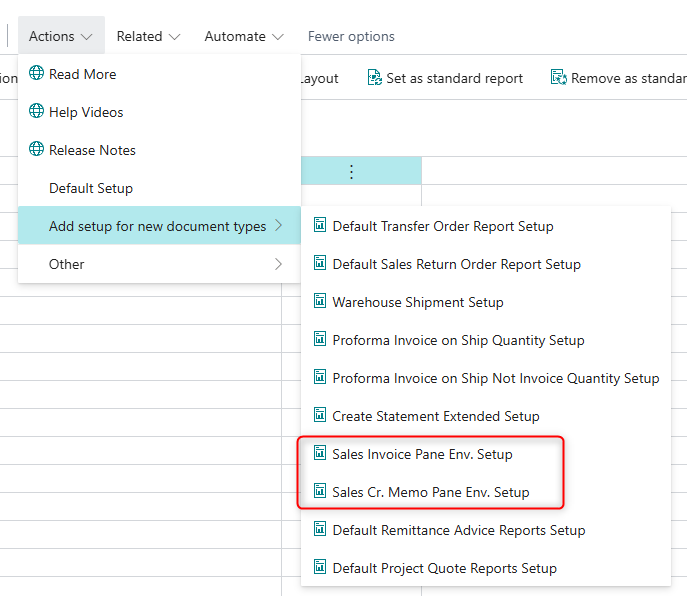
Two new report variants have been introduced specifically designed for pane envelope printing: "SCB Sales Invoice Pane Env" (Report 6082935) and "SCB Sales Cr. Memo Pane Env" (Report 6082936). These reports feature a reduced header size that allows the address block to be positioned further up on the document, making it visible through pane envelope windows. These reports can be set as the default for specific customers using the new "Use As Default Report" functionality, enabling targeted use for markets that require envelope-compatible layouts.
General
Production Order printouts can now be split by operation, with full header information on each page.+
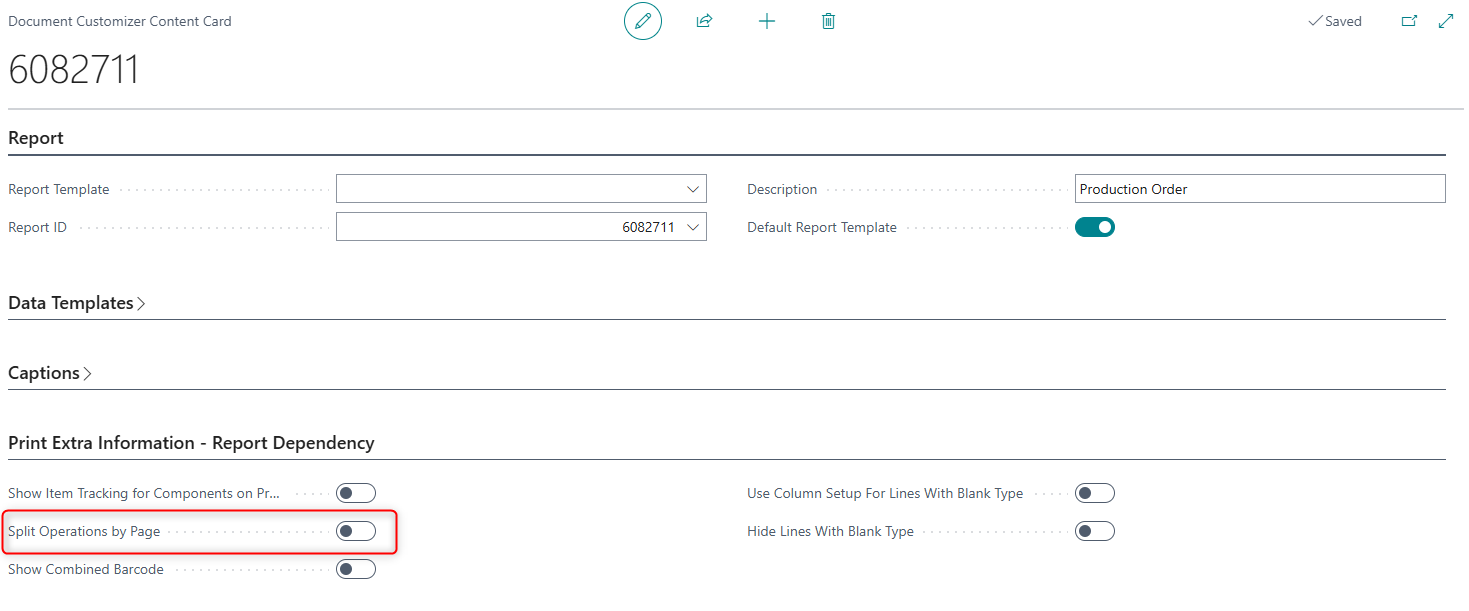
A new setup option on SCB Report Content enables splitting Production Order printouts so that each routing operation is printed on its own page. When this option is enabled, every page includes the standard production order header information along with the previous, current, and next operation numbers and their descriptions, making each page self-contained for use at individual workstations. The setting defaults from SCB Report Content and can be overridden on the report request page at print time. When the option is disabled, the report behaves as before with no page split per operation.
Item Tracking information can now be shown on Purchase Order printouts.+
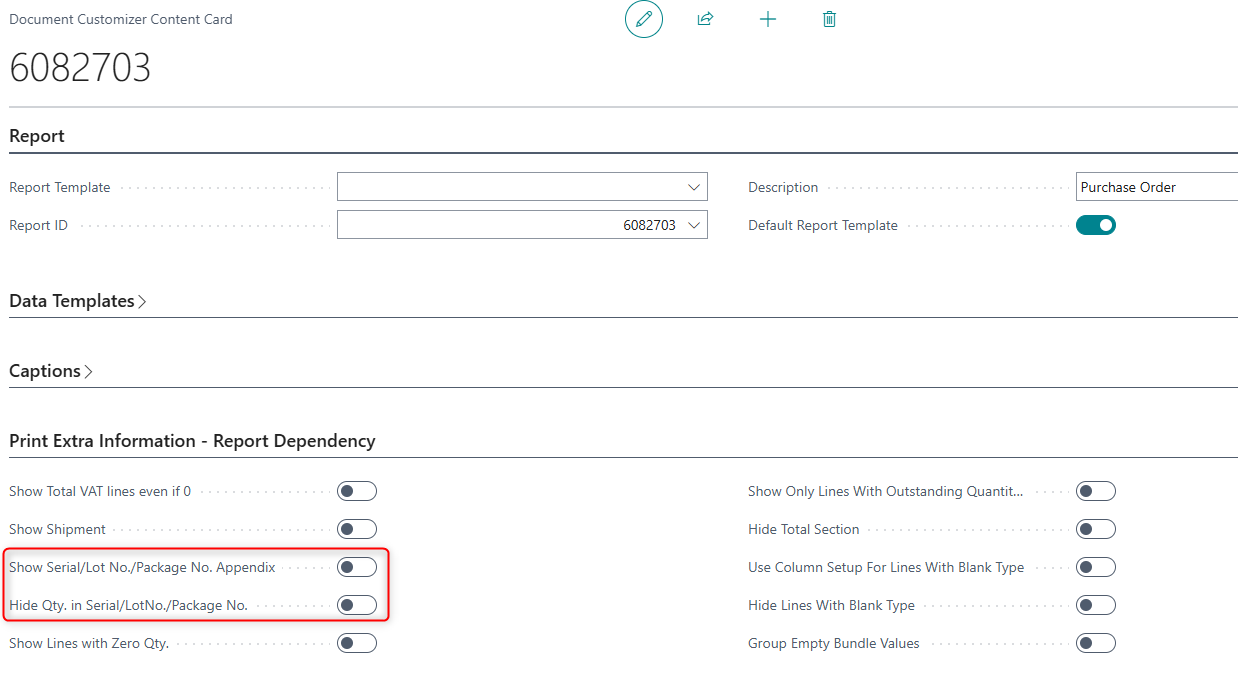
Document Customizer now supports including Item Tracking information — Serial No., Lot No., and Package No. — on Purchase Order printouts. This mirrors the existing behaviour already available for Transfer Orders, Posted Purchase Receipts, and Posted Sales Invoices. The feature can be enabled via a configuration option in Document Customizer for Purchase Orders and will print a Serial/Lot No./Package No. appendix for lines where item tracking has been assigned, using the same layout and structure as the existing appendices on other document types. The appendix is only shown when tracking data is present on the order.
 Refactors
General
All public procedures documented with XML doc comments.+
All public procedures across the Document Customizer codebase have been updated with XML doc comments, including summary descriptions, parameter documentation, and return value documentation where applicable. This improves IntelliSense hover information for developers, makes onboarding faster, and enables more meaningful automated code reviews.
AL keywords normalised from UPPERCASE to PascalCase throughout the codebase.+
AL keywords across the Document Customizer codebase have been normalised from legacy UPPERCASE style (e.g. IF, BEGIN, END, SETRANGE) to the PascalCase standard prescribed by the Microsoft AL Language style guide (e.g. if, begin, end, SetRange). This is a cosmetic change only with no runtime impact, bringing the codebase fully in line with the AL coding standard and eliminating reviewer noise from mixed casing in files.