Log in to your Shipmondo account. If you use the Sandbox environment, log in to your Shipmondo sandbox account.
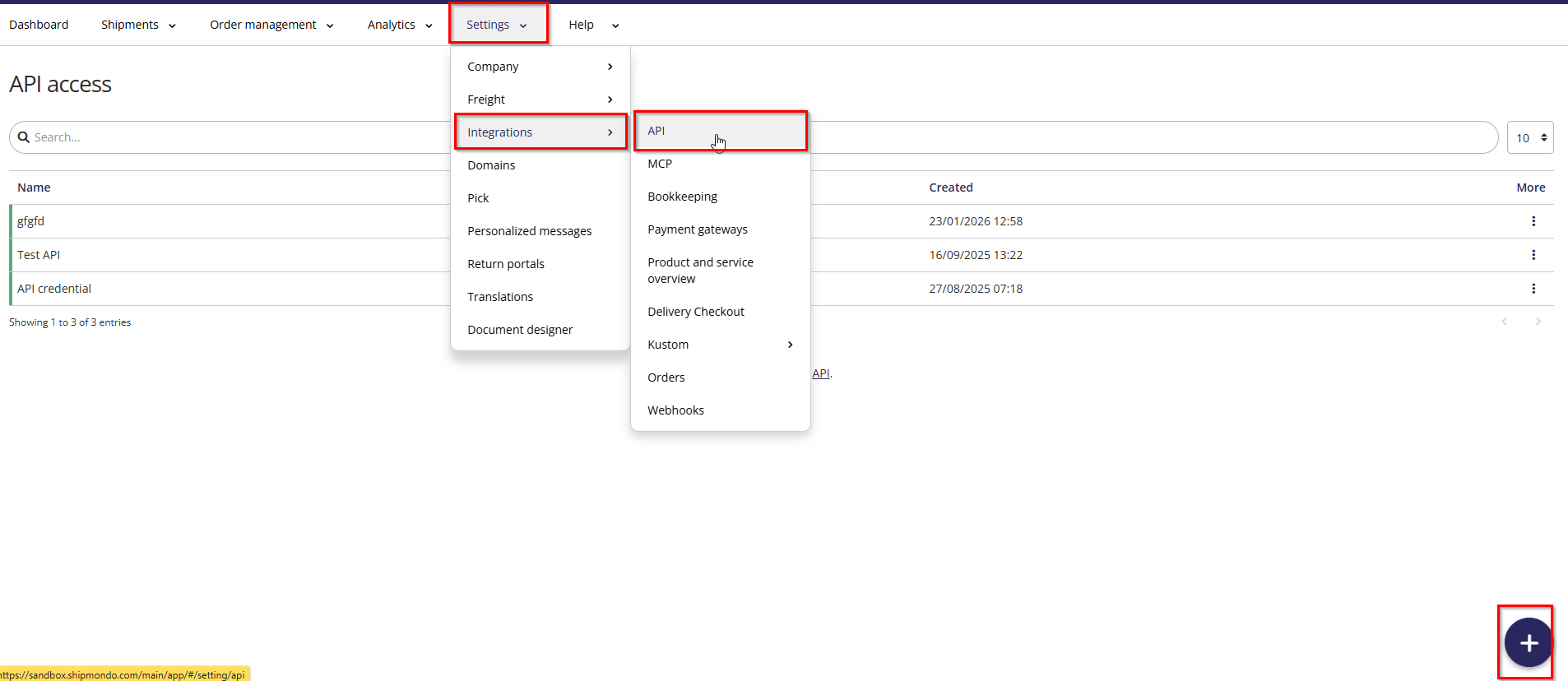
Go to Settings -> Integrations -> API.
Create a new API access: press + in the bottom right corner.
Copy the API user and the API key, and save.
In Business Central, open the connector and enter the API user in Shipmondo Client-ID.
Enter the API key in Shipmondo Client Secret.
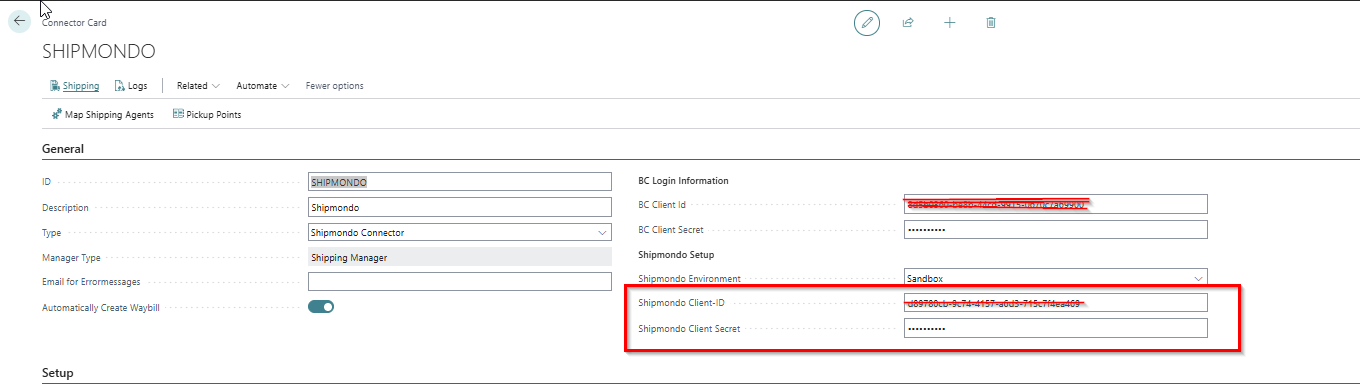
Set Shipmondo Environment to Production for live shipments or Sandbox for testing. It must match the Shipmondo account the API user was created in.
How to get Shipmondo Client ID and Client Secret
- Published on Nov 5, 2026
- 1 minute(s) read
- MK
Was this article helpful?