How To Map Shipping Agent and Shipping Services - Shipmondo And Business central
- Updated on Feb 2, 2026
- Published on Jan 19, 2026
Login to Shipmondo
Go to Settings -> Integrations -> Product and services Overview
Select Sender country and Receiver Country
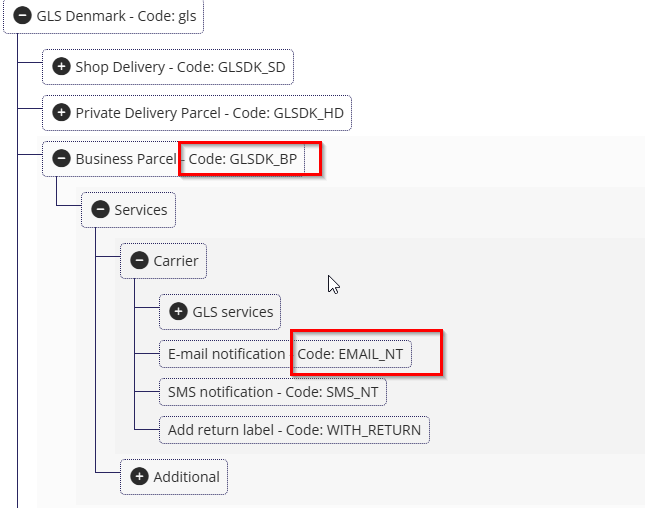
Find your shipping agent your want to use
Copy the Product code
Copy a notification method

Go to Businesss central
Connector -> Shipping -> map shipping agent
Insert the copied values into Product code ->"External Shipping Agent ID" and notification ->"External Shipping Agent Service code"
Was this article helpful?
Related articles
Warehouse & Shipments > Shipping Manager
Warehouse & Shipments > Shipping Manager > Shipping Connectors
Warehouse & Shipments > Shipping Manager > Shipping Connectors > Shipmondo Shipping Connector