Release Date: 15. January 2026
 Release Summary
Waybill improvements
Waybill integration now available for Purchase Orders, enabling direct linking of inbound shipment tracking to procurement documents with automatic sender/receiver address population.
Shipping Agent og Agent Service on Inv. Pic.
Automatic Waybill Creation after Posting Sales Orders or Warehouse Shipments.
Enable package entry when creating waybill from posted warehouse shipment.
Extended SalesOrder and Warehouse shipment with Pickup point field.
Custom Tariff improvements
Default Weight UOM for Customs now available in Shipping Manager Setup and applied to customs tariff lines.
Calculate custom tariff lines directly on the inventory pick table.
Bug Fixed
Warehouse Shipment weight calculations show incorrect totals - Order Total weights do not match Ship weights even when all items are fully picked.
Setup option is introduced to preserve individual sales order External Document Numbers when posting warehouse shipments with multiple orders.
 New Feature
Waybill
Waybill integration now available for Purchase Orders, enabling direct linking of inbound shipment tracking to procurement documents with automatic sender/receiver address population.
Purchase Orders now support waybill integration for tracking inbound shipments from vendors. Users can link waybills directly to purchase orders with automatic address population (vendor as sender, location/company as receiver). The feature includes a waybill lines subpage, integration status tracking, and navigation to related warehouse documents. Waybill information is preserved on posted purchase receipts. Enable via "Show Waybill on Purch. Orders" feature flag in SCB Detailed App Feature Setup (requires "Show Waybill Lines" dependency).
Shipping Agent og Agent Service on Inv. Pic
Warehouse users can now see the Shipping Agent Code and Shipping Agent Service Code directly on the Inventory Pick header. This makes it easier to identify the shipping method without needing to open the Waybill or Sales Order.
We’ve added two new fields to the Warehouse Activity Header for Inventory Picks:
Shipping Agent Code
Shipping Agent Service Code
These fields are automatically populated when the Inventory Pick is created, allowing warehouse staff to immediately see which shipping provider and service are being used. This aligns with the information shown on the Waybill Header and improves transparency and efficiency in warehouse operations.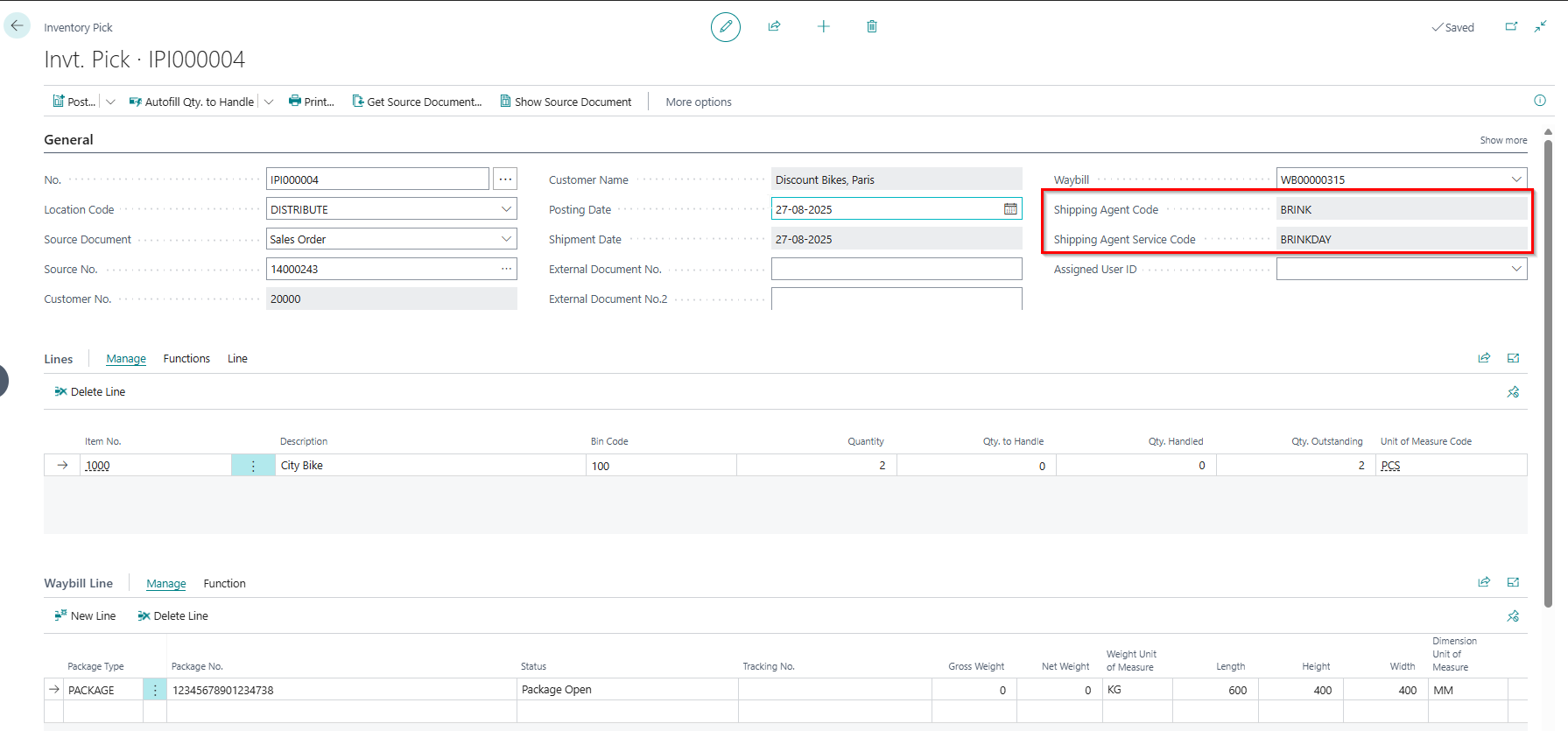
Automatic Waybill Creation after Posting Sales Orders or Warehouse Shipments.
We’ve introduced a new automation feature that creates a waybill immediately after posting a Sales Order or Warehouse Shipment. This enhancement eliminates the need for manual waybill creation, streamlining your shipping workflow and reducing operational overhead. The feature integrates seamlessly with your existing Shipping Connector setup and supports both nShift and Shipmondo platforms.
Enable package entry when creating waybill from posted warehouse shipment
You can now add packages directly when creating a waybill from a posted warehouse shipment.
Previously, users had to scroll down and manually open the waybill to add packages after posting a warehouse shipment. With this update, the “Waybill” button now opens the waybill page directly, allowing immediate package entry. This streamlines the workflow and improves usability
Extended SalesOrder and Warehouse shipment with Pickup point field
New Feature: Added a Pickup Point lookup field to Sales Orders and Warehouse Shipments to support flexible delivery options.
We’ve introduced a new Pickup Point field on both Sales Order and Warehouse Shipment pages. This field allows users to select a predefined pickup location, streamlining outbound logistics and improving customer delivery experience. The field supports integration with external shipping systems and can be used in automation flows.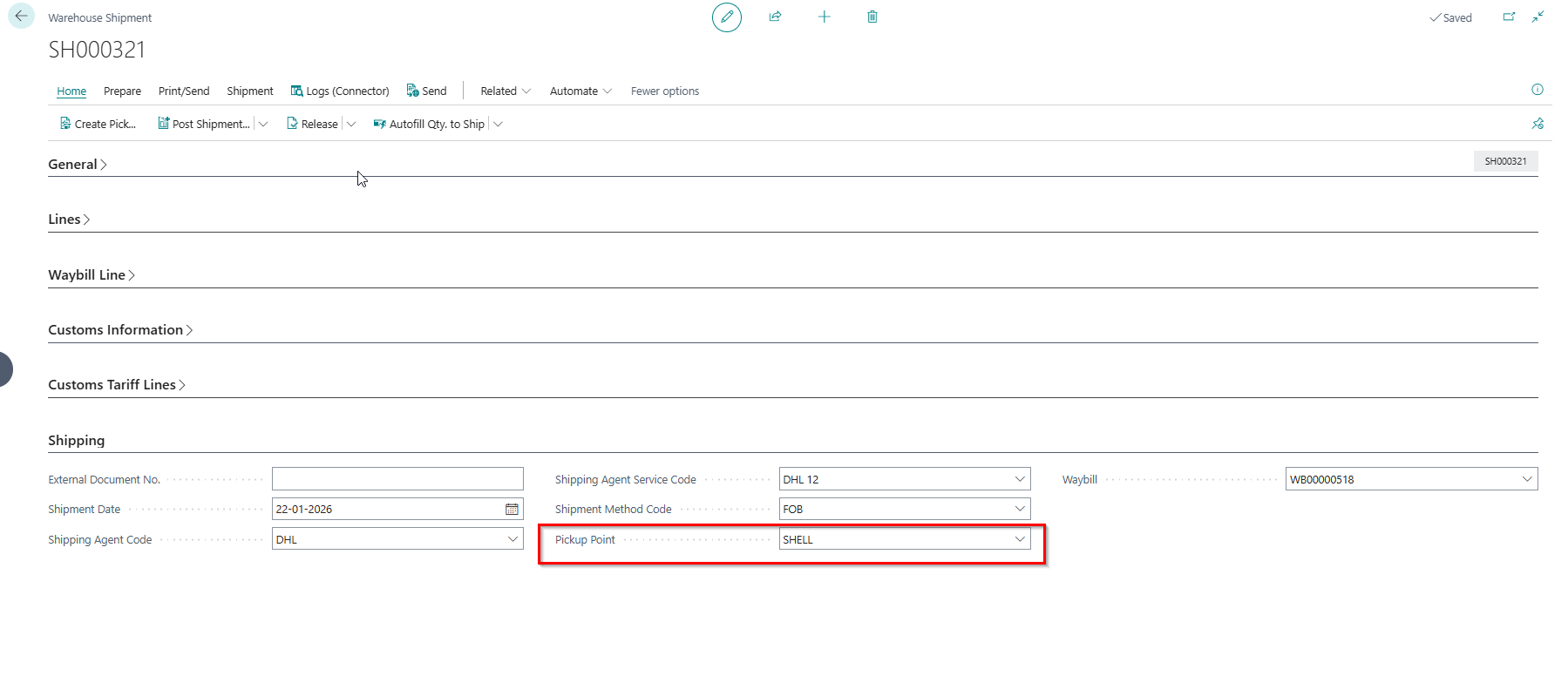
Custom Tariff
Default Weight UOM for Customs now available in Shipping Manager Setup and applied to customs tariff lines
A new field, Default Weight UOM Customs, has been added to the Shipping Manager Setup. When customs tariff lines are created, the Weight UOM field is automatically populated using this setup value. This field is also exposed on the Customs API Page, allowing external systems to access the weight unit for customs processing.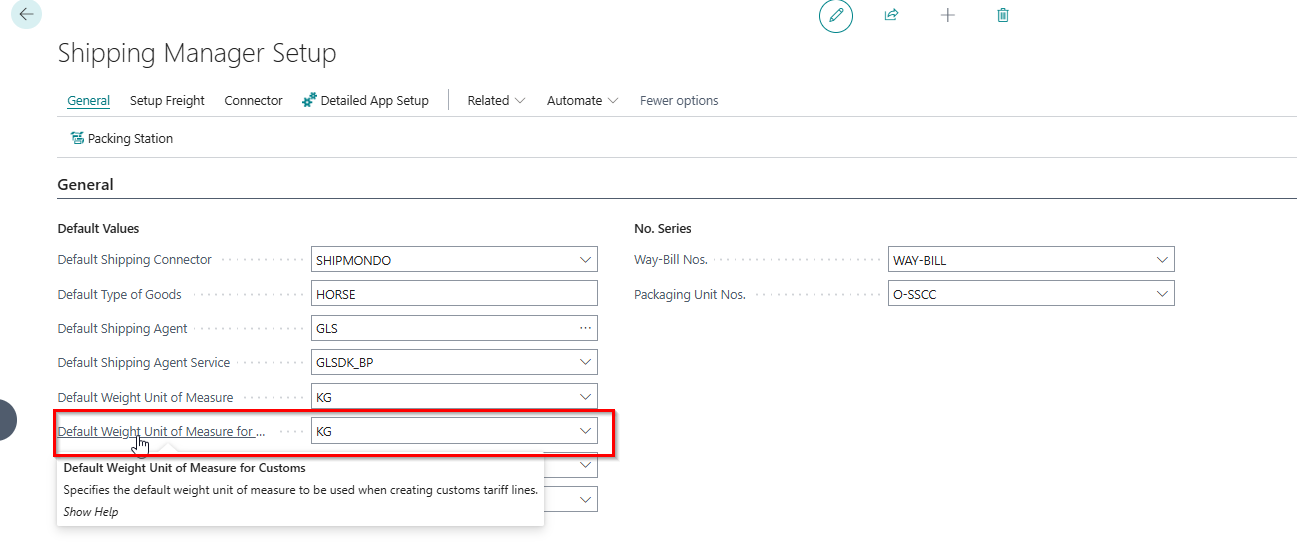
Calculate custom tariff lines directly on the inventory pick table
Custom tariff line calculation now available on inventory pick table
Users can now calculate custom tariff lines directly within the inventory pick table. This enhancement eliminates the need to switch between screens or use external tools when determining tariff classifications and costs during the picking process. The feature provides immediate visibility into customs-related charges, helping teams make more informed decisions about inventory selection and improving efficiency in international shipment preparation.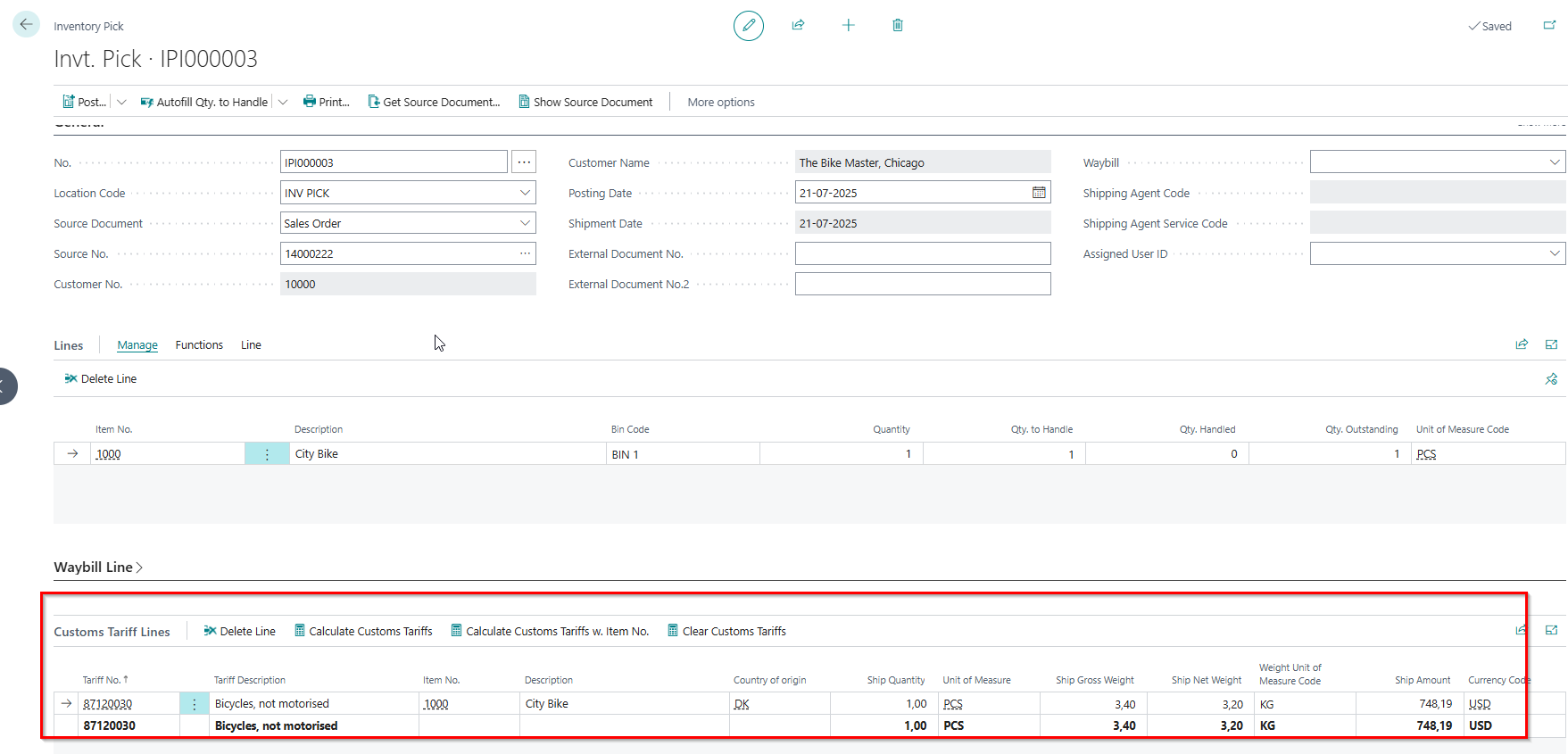
 Bug Fixes
Weight and Volume
Warehouse Shipment weight calculations show incorrect totals - Order Total weights do not match Ship weights even when all items are fully picked
Automatic weight calculation now works correctly for sales orders created through intercompany transactions, eliminating the need for manual intervention.
Weight fields (Net Weight, Gross Weight, Volume, Package) are now automatically calculated when sales orders are created via intercompany transactions.
Setup option is introduced to preserve individual sales order External Document Numbers when posting warehouse shipments with multiple orders
Previously, when posting a warehouse shipment that contained multiple sales orders, Business Central standard behavior caused all related sales orders to inherit the same External Document No. from the warehouse shipment header (typically taken from the first sales order). This could overwrite each order’s original external document reference and make it harder to trace documents correctly.
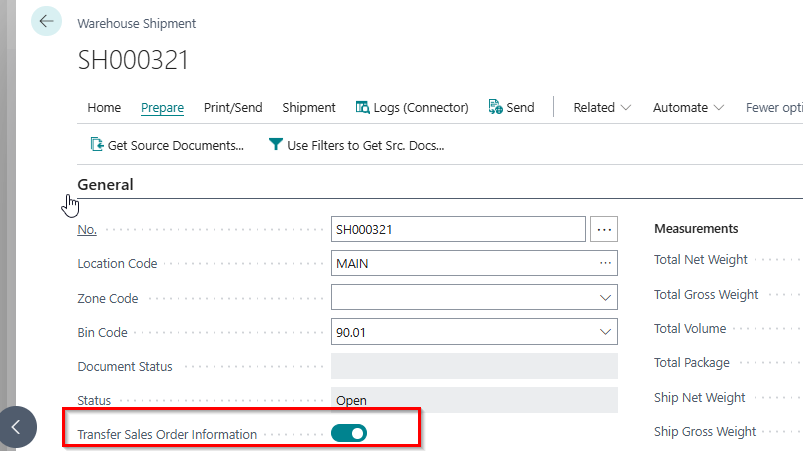
With this change, a new boolean option is introduced in warehouse shipment header: “Transfer sales order information”.
When enabled, each sales order retains its own External Document No. after posting the warehouse shipment, even when multiple orders are included on the same shipment.
When disabled, the standard Business Central behavior is preserved, and the External Document No. from the warehouse shipment header can still flow to all linked sales orders.
This provides more control and flexibility, allowing customers who rely on unique external document references per sales order to protect that data during warehouse shipment posting, while maintaining full backward compatibility for installations that prefer the standard behavior.