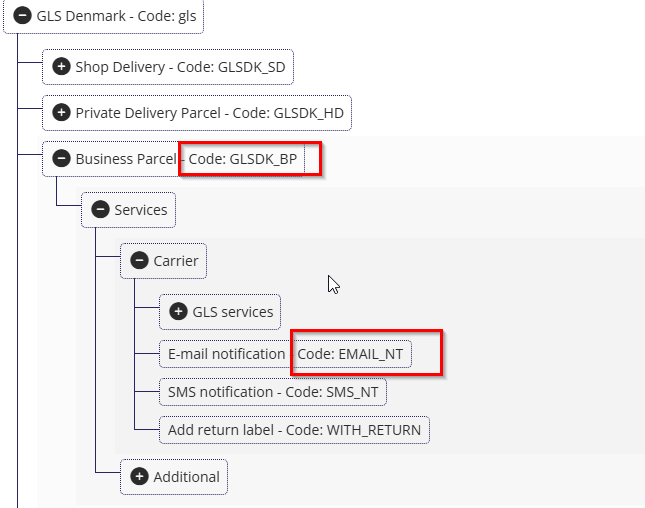
Log in to Shipmondo.
Go to Settings -> Integrations -> Product and services Overview.
Select the sender country and the receiver country.
Find the shipping agent you want to use.
Copy the product code.
Copy the service code for the notification method you want to use. If you need several services, separate the codes with a comma.
Go to Business Central.
Open the Shipmondo connector on the Connectors page and choose the action Map Shipping Agents.
Select the Business Central shipping agent and shipping agent service, and insert the copied values: product code -> "External Shipping Agent ID" and service code -> "External Shipping Agent Service Code".
Turn on Own Agreement if the shipments for this shipping agent and service must be booked on your own carrier agreement in Shipmondo. Leave it off to book them on Shipmondo's agreement.