Follow the Shipmondo guide for the Print Client: https://help.shipmondo.com/en/articles/2564458-shipmondo-print-client-installation-and-setup-guide
When you have followed the guide, you need the following information from the Shipmondo portal:
Hostname, Printer and Label Format
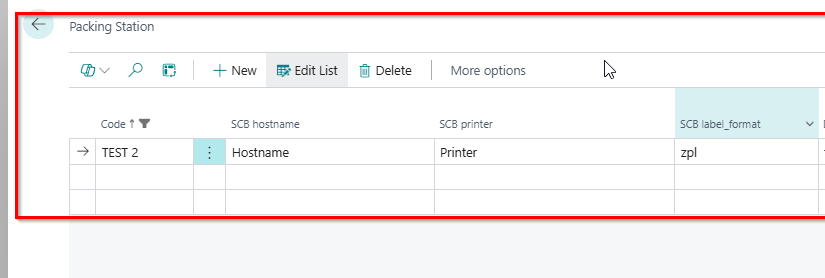
In Business Central, search for Packing Station.
Create a code.
Enter the Hostname, Printer and Label Format exactly as they appear in the Shipmondo portal.
Make sure the packing station is filled in on the waybill. If the waybill has no packing station, no printer information is sent to Shipmondo and the label is not printed.
Send a waybill. The label is printed automatically.
How to integrate with the Shipmondo Print Client
- Updated on Nov 5, 2026
- Published on Jan 29, 2026
- 1 minute(s) read
- MK
Was this article helpful?